Communication Flows
A solution for creating and measuring communication campaigns for churches wanting to improve engagement and outreach.
Company
Spark Development / Triumph Tech
My Role
UI/UX Designer
Reported to
Head of Product / UX
1. Overview
RockRMS is an open source church management system used by over 400 churches, including 10 of the top 12 largest churches in the US. One of the core features that our churches value is the ability to communicate effectively with their hundreds to tens of thousands of members and attenders. Thus far, Rock has been used to send over 200 million communications, including emails, sms, and push notifications. Our team saw an opportunity to enhance the value we provided to our church clients by developing a feature in RockRMS that would allow them to create, manage, and analyze communication campaigns directly within our platform. The goal was to help large churches improve engagement and outreach by offering a more integrated solution for their communication needs. was tasked with designing this feature from research through to final implementation, working closely with our Head of Product for requirements and feedback, and ultimately handing off the designs to our engineering team for development.
2. Problem
Large churches face multiple problems with their communication efforts. First, they often run their communications with very limited financial resources, yet with huge hopes to reach and engage their people. Second, many churches rely on a patchwork of tools and platforms to manage their communications, leading to inefficiencies and inconsistencies. Third, churches often struggle to measure the effectiveness of their communication efforts, making it difficult to optimize and improve over time. Finally, many existing solutions are not tailored to the unique needs of churches, which can lead to frustration and suboptimal results. Our goal was to address these problems by creating a cost-savings feature that would allow churches to create, manage, and analyze communication campaigns directly within our platform, providing a more integrated and effective solution.
3. Design Process
This was one of the first new features I designed for RockRMS. I was given the requirements and a rough sketch from our Head of Product/UX, and then was released to get started. This feature was initially scoped to allow only the creation and tracking of email campaigns.
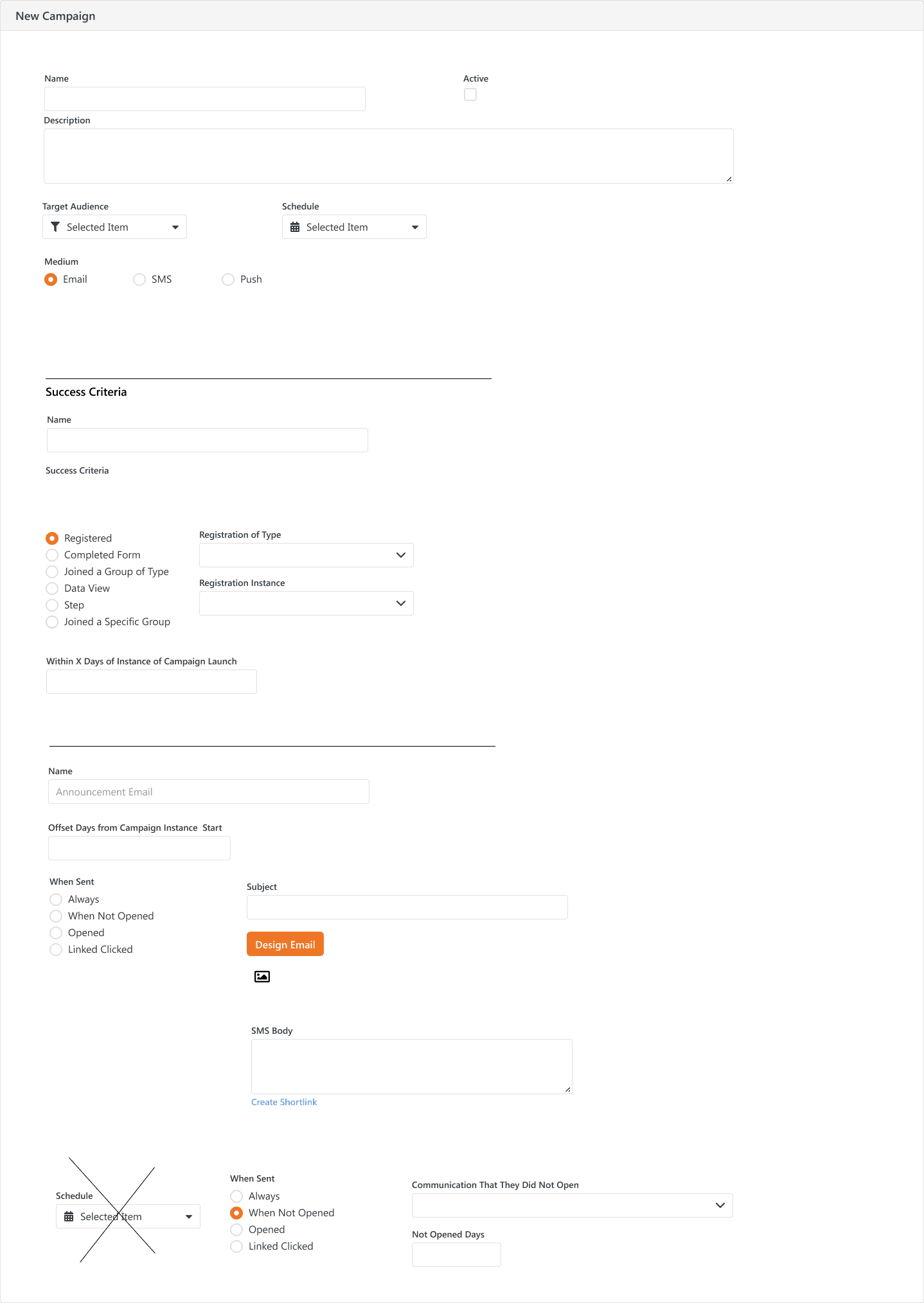
Initial Sketches/Requirements
Since this was one of the first features I designed for RockRMS, I first took a day or two to get a feel for a few things: 1) the existing design patterns in the system (especially for wizards); 2) the existing communications features and their underlying data models. I wanted to know how I should approach designing this feature in a way that would be consistent with the existing system. At the time, we had communications features for email, sms, and push notifications, but they were for single communications, not campaigns. I had also recently helped design a new wizard for our communication feature, along with a new email builder/editor experience. I borrowed heavily from that pattern, while realizing that I needed to make some changes to accommodate the new functionality.
After doing some research into how other communication platforms handled campaigns and automations, I interviewed the director of marketing at our company, who would be using this feature. He validated our wizard UX approach, and provided some useful insight into the importance of the metrics UX as well.
After that, I started mocking the wizard flow for this feature. To start, we wanted to allow users to have three different kinds of communication flows to choose from, depending on different kinds of triggers: 1) a defined recurring schedule, 2) a single date and time, and 3) a trigger that other system processes like workflows could hook into. A recurring campaign would be useful for ministry events and happenings that are predictable, like weekly services or monthly giving statements. A single date and time campaign would be useful for one-time events, like a special service or conference. A workflow-triggered campaign would be useful power users who wanted to create automations dependent on more complex scenarios.
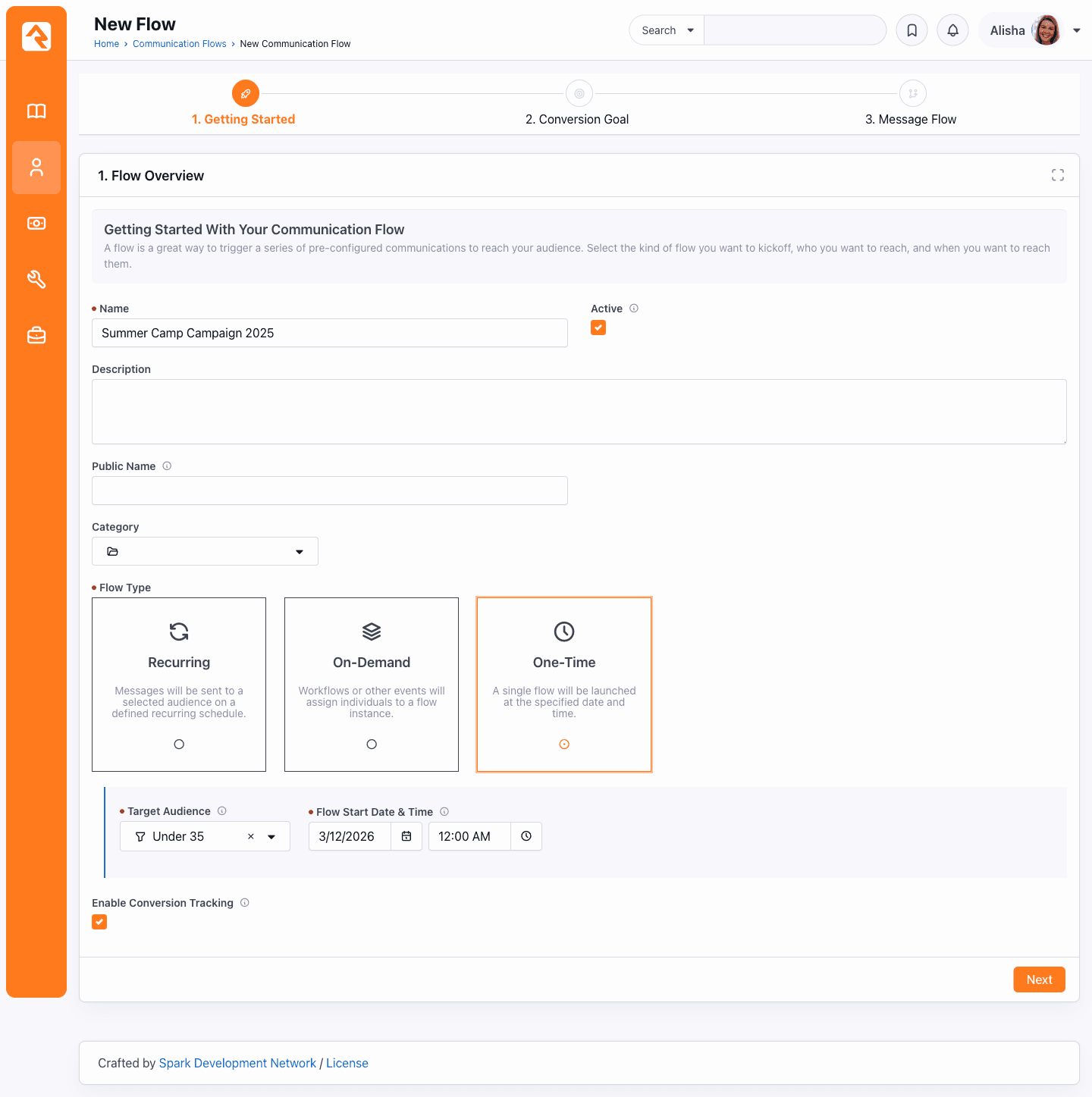
Starting a Communication Flow
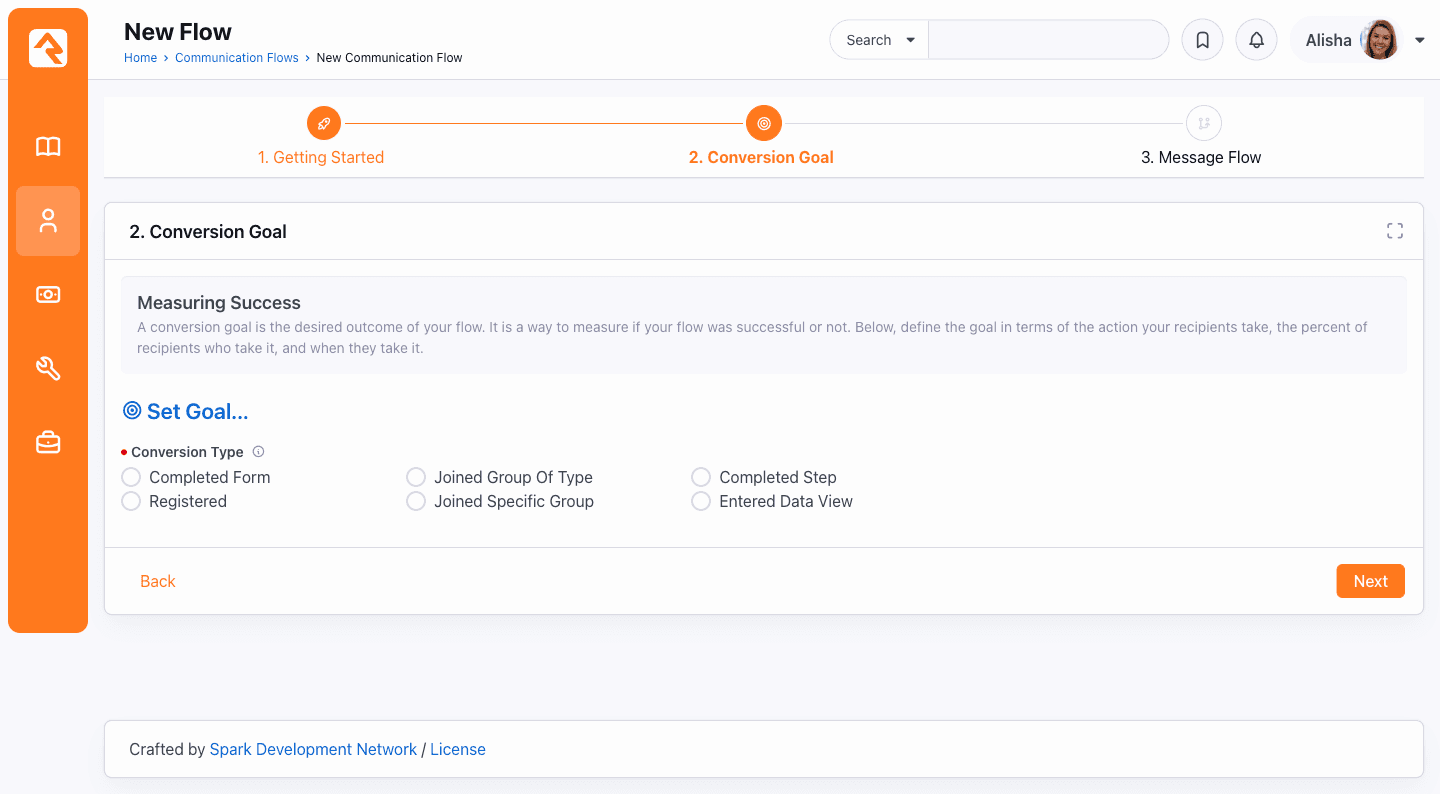
Step 2: Conversion Goal
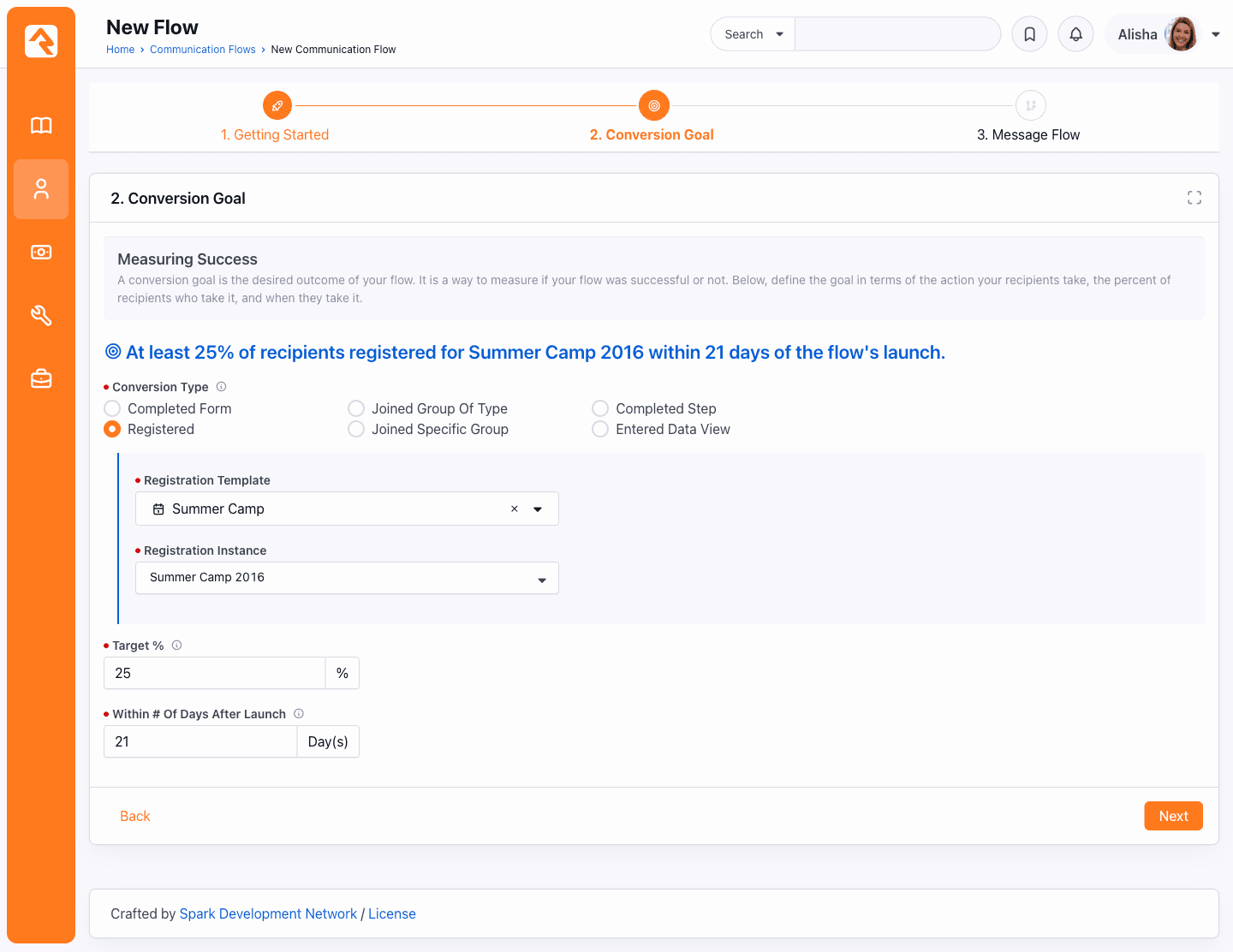
Setting the conversion goal
One thing we needed for this feature was UI that let users create a series of connected steps (or automations) that didn't require a lot of expertise and technical ability to create and manage. We currently had that ability in our workflows feature, but it was geared towards IT staff and developers, not necessarily the average communications director. I explored different patterns such as a canvas with branching flows, but it wasn't feasible from a technical or design standpoint. We ultimately landed on a sequential card list approach.
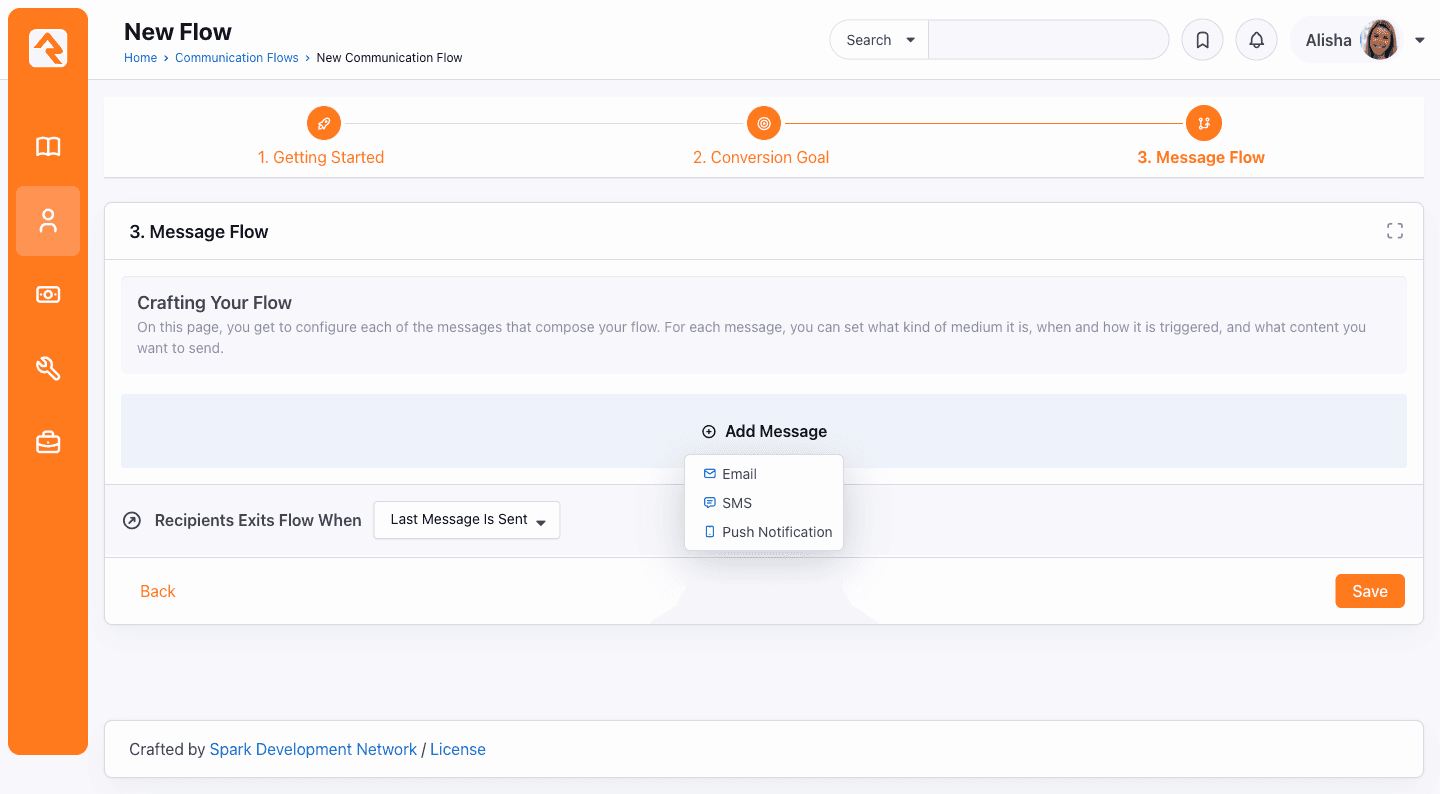
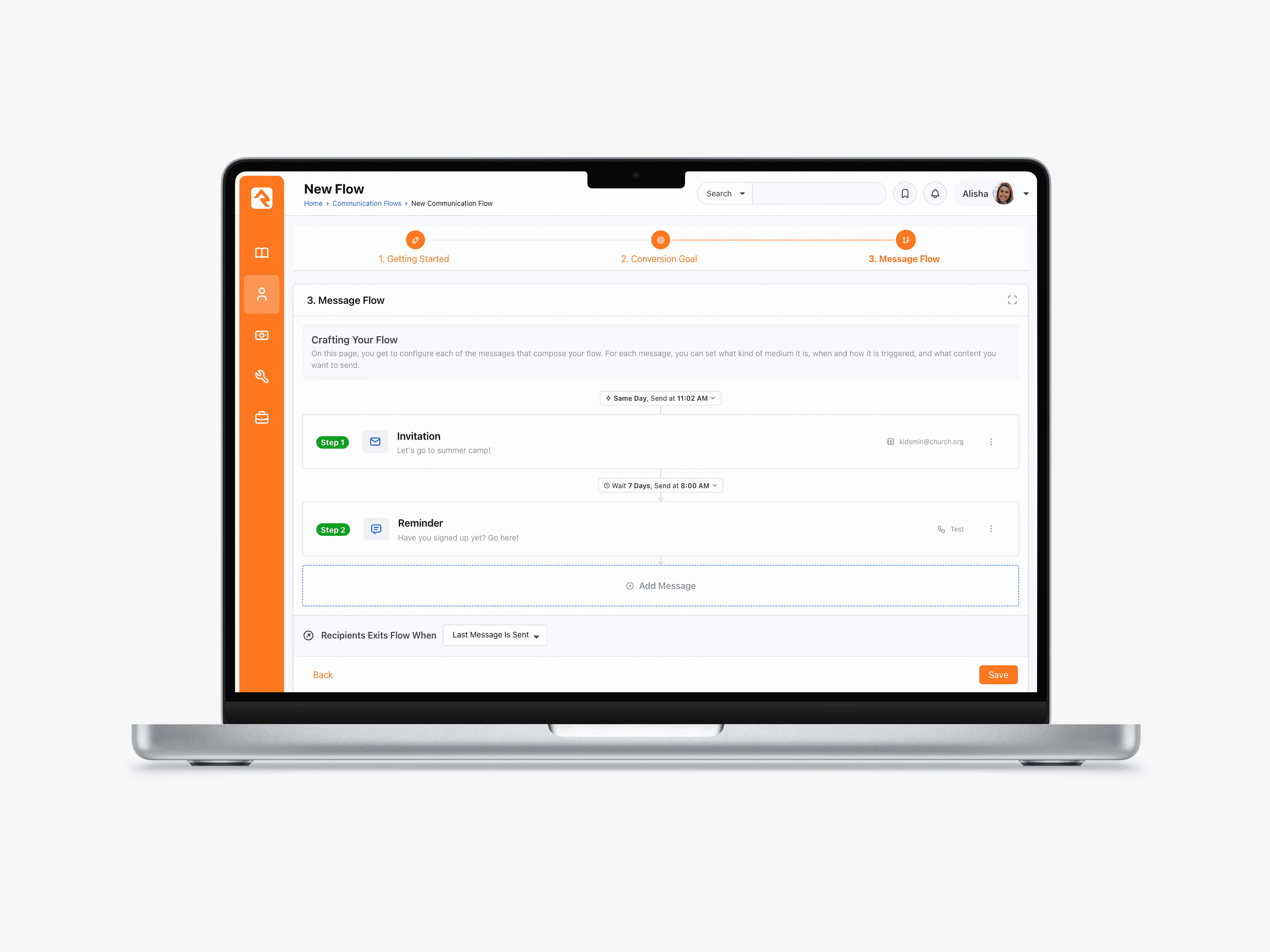
Setting the Message Flow
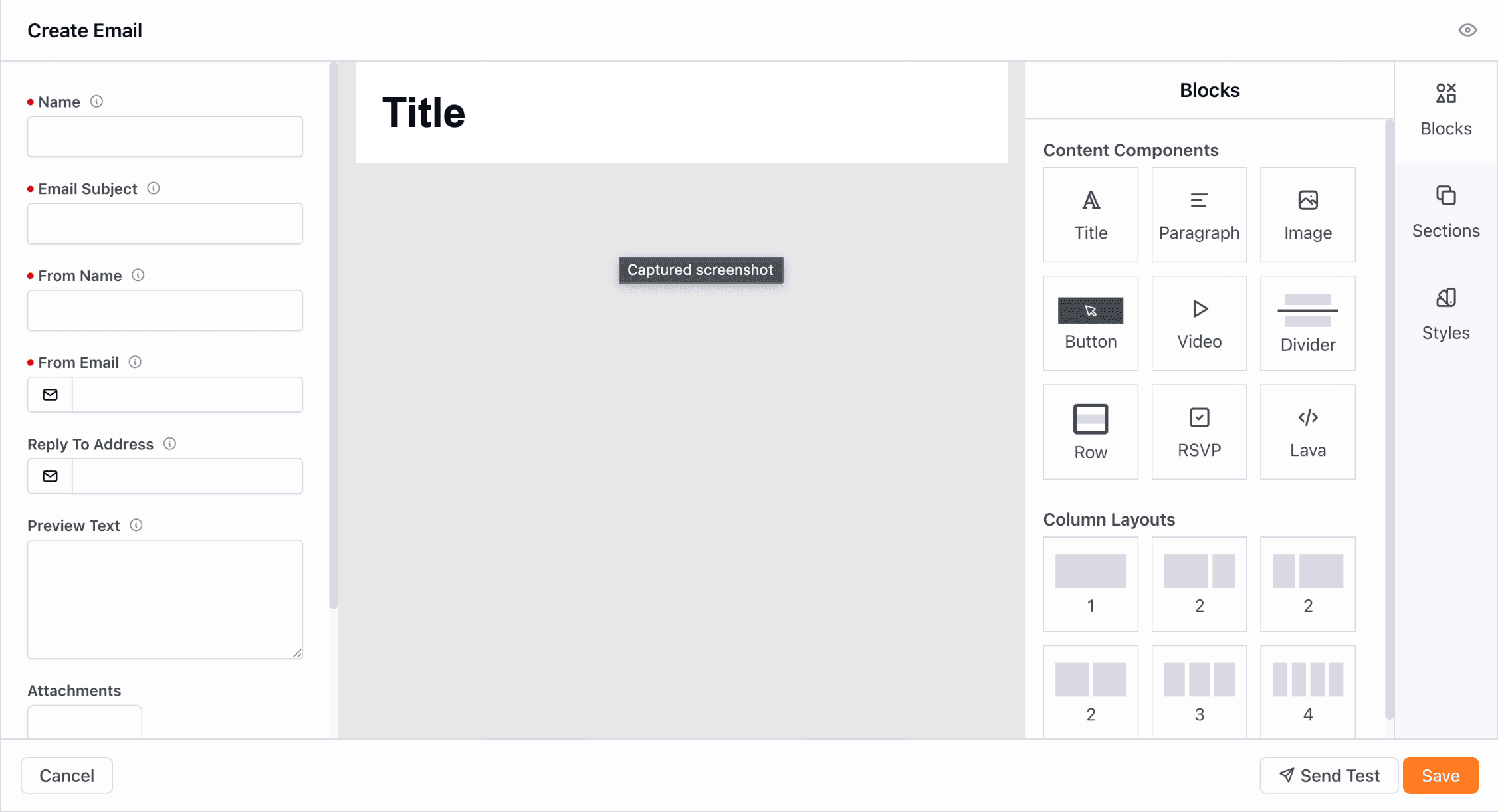
Crafting a message
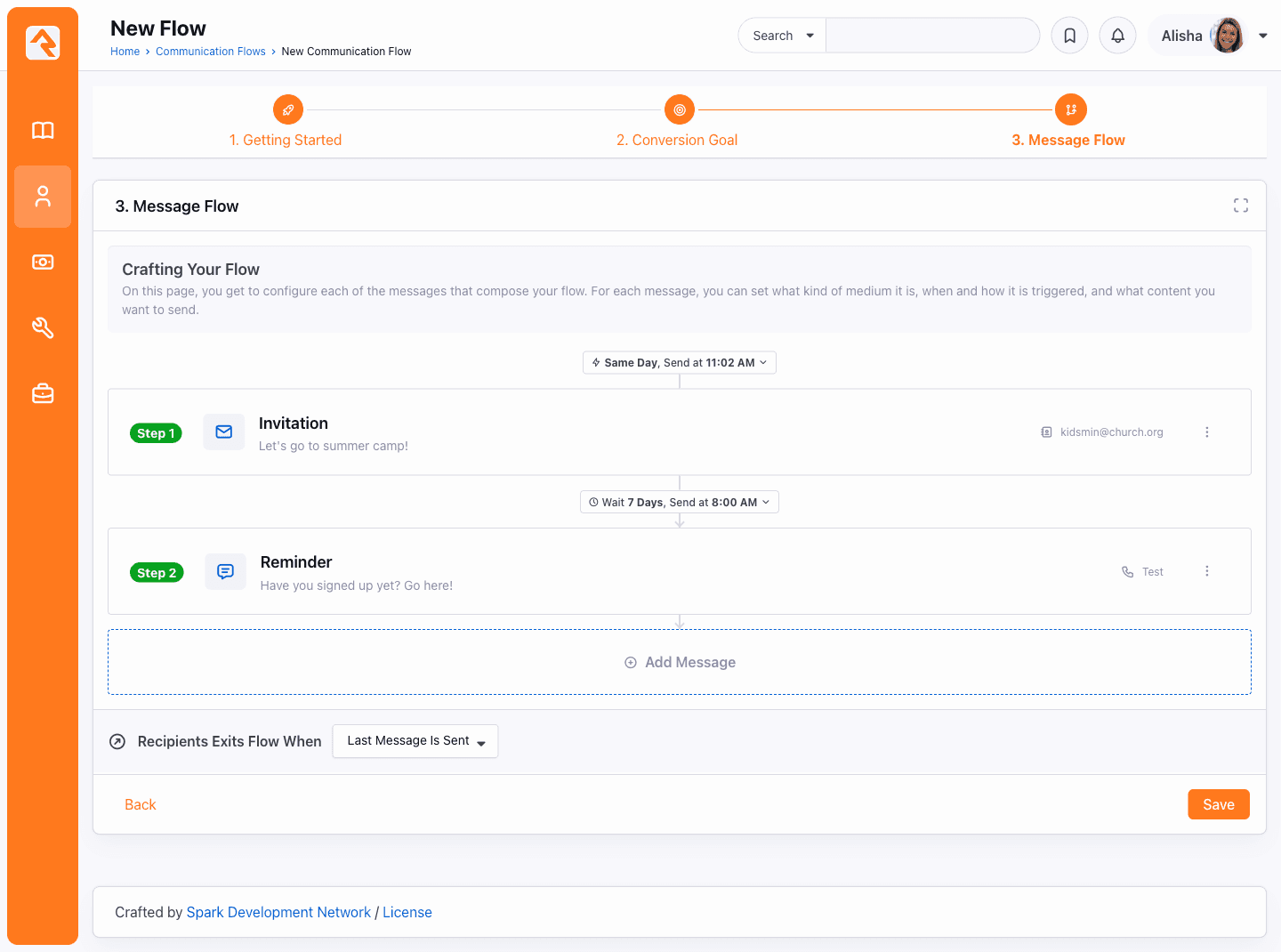
Finalizing the communication flow
Throughout this project, I worked closely with our Head of Product, who provided regular feedback, guidance, and suggestions along the way. Halfway through the project, we decided that this feature would be far more helpful if it had two things: the ability to create multi-modal campaigns (email, sms, and push notifications), and the ability for users to set conversion goals and track their progress towards. This meant that we used the existing SMS & Push Notification features in Rock and adapted them to the wizard when creating steps in the flows. I then designed a page in the wizard where users could define conversion goals based on a number of different data and criteria (such as completing forms, took a step, registered for an event, etc.). In the metrics page, we created a section that showed progress towards that goal.
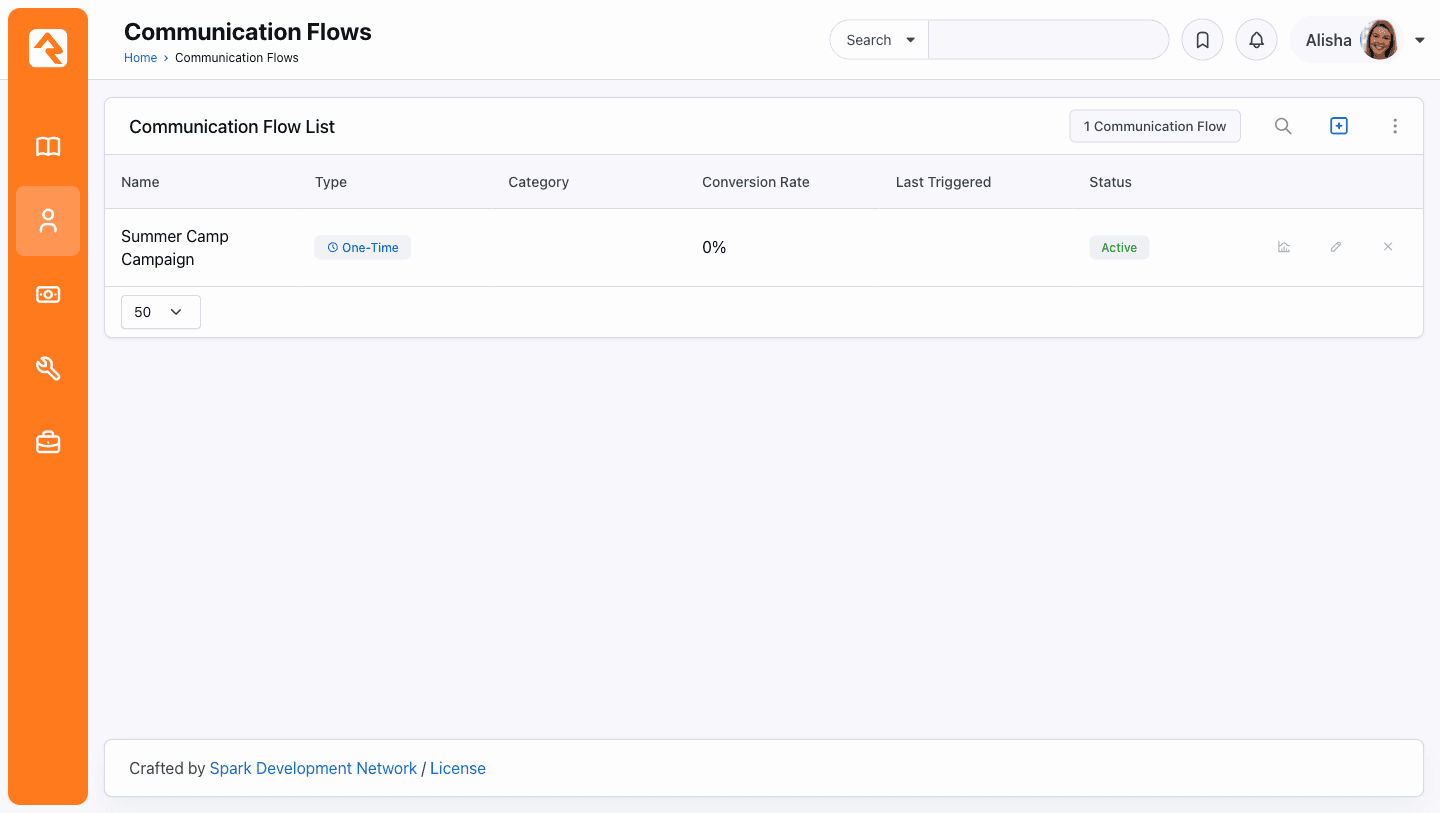
Communication Flow List
.c794aed7.png&w=3840&q=75)
Communication Flow Analytics
We finished the designs, and we handed them off to engineering to begin development. We had a couple of engineering questions along the way, had to work out a few kinks after QA and testing, but overall the development process went smoothly. Designing this feature helped me learn a lot about communication features, data models, and how to design for a complex system.
4. Outcomes
Key Result 1
Cut communication campaign planning time in half for ministry organizations.
Key Result 2
Increased engagement of communication campaigns by providing goal-based, data-driven insights.
Key Result 3
Cut individual church costs by hundreds to thousands of dollars a year.
This feature is now used by hundreds of churches and organizations, and is now a valuable feature in RockRMS. As one of the first major feature features I designed at Triumph, I learned a lot about how to work with complicated communication workflows, how to approach design with data limitations and provide useful metrics, and when to leverage design systems while designing new components to meet new design needs.